PolicyPilot

PolicyPilot/Features/Page-level sources

Citations down to the page and sectionThe policy, not a summary of it

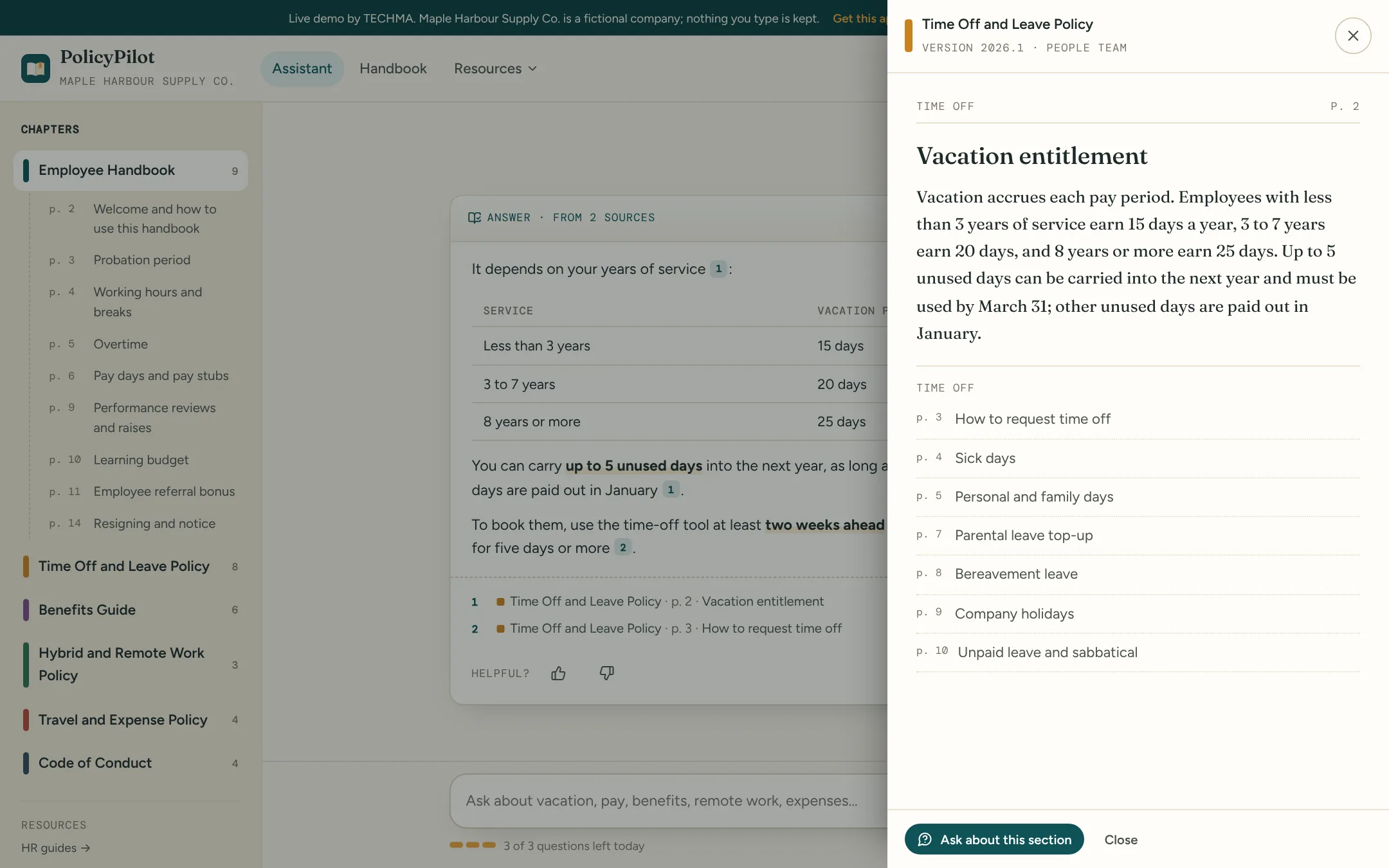
Every number in an answer opens a reader with the cited section in full: the document's name and version, the page number, the section title and its text.

No account, no sign-up. The demo answers from the handbook of a fictional company; nothing you type is kept.

Page-level sourcespolicypilot.techma.ai
A handbook page open beside an answer, with the document's version and page number

What the reader shows

  • The document, its version and the team that owns it.
  • The page number and section title, as they appear in the policy.
  • The full text of the section, in large readable type.
  • The other sections of the same document, so the reader can keep going.
  • "Ask about this section", which sends a question about that page to the assistant.

Why page numbers matter

When an employee says "the handbook says…", a manager can open the same page. When HR updates a policy, everyone can see which version an answer came from. Page-level sources turn a chat answer into something people can point to.

In a version for you

Your own PDF and Word documents keep their real page numbers. The original client build returned the document name and page from the company's PDFs; the demo uses a fictional handbook written for this site.

Questions

Asked before the first call

Does the reader show the whole document?

It shows one section at a time, with a list of every other section in the same document.

What happens when a policy changes?

In a version for you, the new file replaces the old one and answers cite the new version from then on.

Live demo

Ask it something HR gets asked every week.

PolicyPilot is a working assistant, not a video. Ask about vacation, sick days or expenses, open the page it cites, then send a question on to HR.