PolicyPilot

PolicyPilot/Features/Contact HR, verified

From the HR chatbot to a real personWhen the handbook stops, HR picks up

From any answer, or from the Contact HR button, an employee writes to the People team. A 6-digit code confirms their email, and HR receives the question with the conversation that led to it.

No account, no sign-up. The demo answers from the handbook of a fictional company; nothing you type is kept.

Contact HR, verifiedpolicypilot.techma.ai
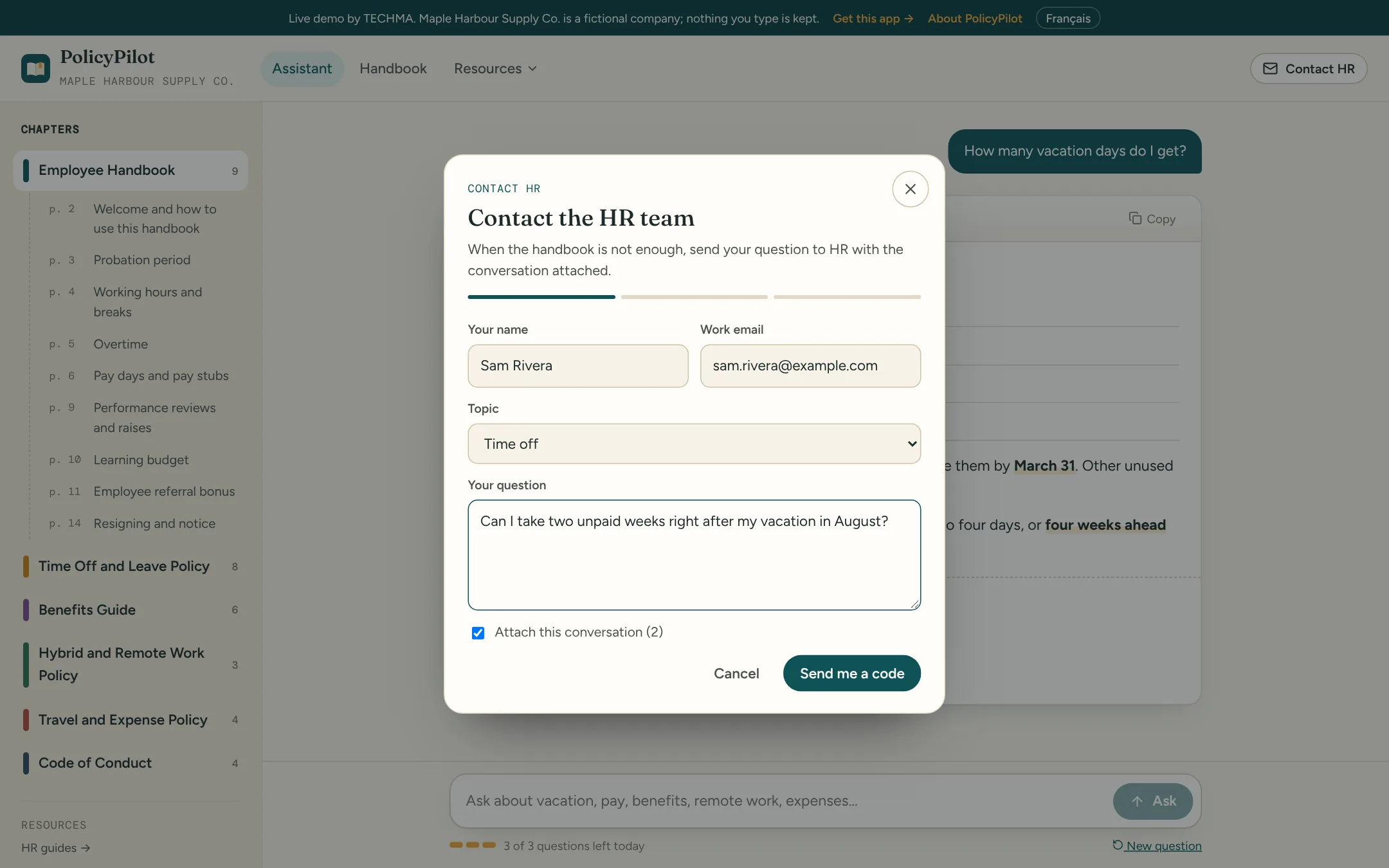
The Contact HR form with name, email, topic and question

The three steps

  1. Write. Name, work email, topic and question. The last question asked is filled in.
  2. Confirm. A 6-digit code is sent to the email; it expires after 10 minutes and allows five tries.
  3. Sent. HR receives the question, the email (marked as verified) and, if the employee agreed, the conversation.

In the demo

Nothing is sent and nothing is kept. The code is shown on screen instead of being emailed, so you can walk through the steps.

Why verify the email

An open form lets anyone write to HR in anyone's name. A one-time code proves the person can read that mailbox, without asking employees to create another account.

Questions

Asked before the first call

Where do messages go in a real setup?

To the HR mailbox you choose, or as a ticket in your HR helpdesk if TECHMA connects it.

Can an employee stay anonymous?

Not through this form, which is for personal questions. Anonymous reporting (an ethics line) is a separate tool.

Live demo

Ask it something HR gets asked every week.

PolicyPilot is a working assistant, not a video. Ask about vacation, sick days or expenses, open the page it cites, then send a question on to HR.